
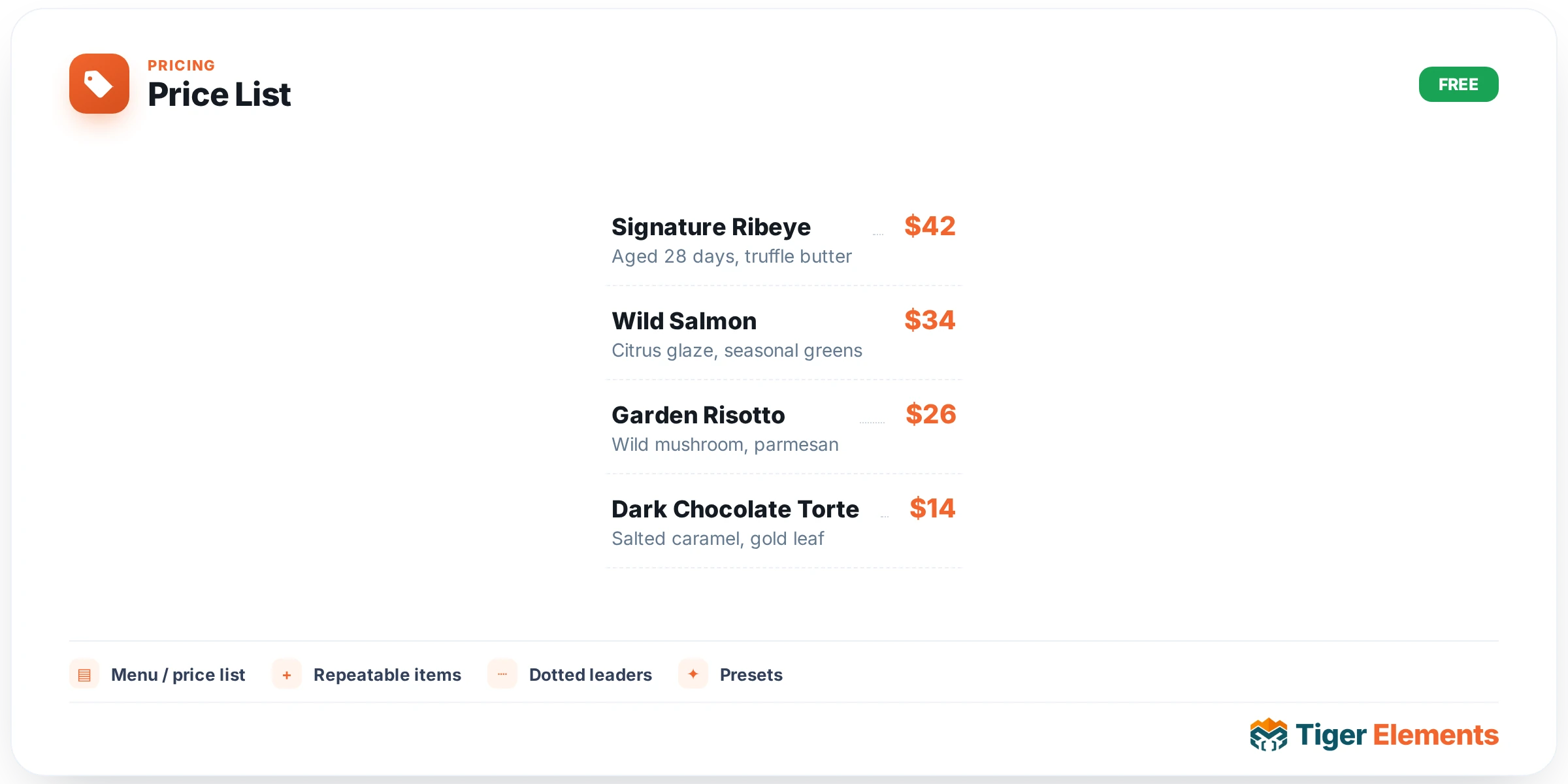
A repeater-driven list built specifically for restaurant menus and simple service pricing, where each entry carries a title, a description, a price, and an optional thumbnail image — connected visually by a classic dotted price leader running from the item name across to its price, exactly the layout convention printed restaurant menus have used for decades. That familiar visual pattern is the whole point: visitors immediately recognize this as a menu or price list without needing any labeling, because the layout itself communicates the content type.
Building the list
Each repeater entry is self-contained — a name, a short description (ingredients, what’s included, a brief note), a price, and an optional thumbnail. The thumbnail is genuinely optional per item, which matters for a real restaurant menu where not every dish necessarily has (or needs) a photo; a mix of photographed signature items and plain text entries for simpler dishes reads perfectly naturally, the same way an actual printed menu often only photographs its highlights.
Styling controls
Independent color controls exist for the title, price, and description text, so the price figure can be visually emphasized — a bolder weight or accent color — separately from the item name and its description, drawing the eye to the number that matters most for a menu a visitor is actively deciding from. A row-spacing slider controls how tightly or loosely the whole list is packed, which meaningfully affects readability depending on how many items the list contains — a short list of five premium items can afford generous spacing that feels considered and upscale, while a long menu with dozens of entries may need tighter spacing simply to fit comfortably without excessive scrolling.
Why this widget over Pricing Tables
It’s worth being deliberate about choosing Price List over the Pricing Tables widget, since both involve displaying a price but suit genuinely different content shapes. Price List is built for a flat list of many individual items — a restaurant’s full menu, a salon’s service list, a repair shop’s price sheet — where each entry is roughly equal in importance and the format is fundamentally "item — price" repeated many times. Pricing Tables, by contrast, is built for a small number of distinct plan tiers presented as boxed cards with feature lists and a call-to-action button each — the SaaS subscription pricing pattern, not a menu pattern. Using Price List for a subscription-tier comparison, or Pricing Tables for a restaurant’s full appetizer list, would each feel visually mismatched to what visitors expect from that type of content.
Use it for
Restaurant and café menus are the primary use case this widget is purpose-built for. Service-based businesses with a straightforward per-service price list — a salon’s cut/color/style menu, a car wash’s wash-tier options, a repair shop’s common-job pricing — are a close second, sharing the same fundamentally flat, itemized structure a restaurant menu has.
Practical tips
- Use thumbnails selectively on your genuine highlights rather than forcing a photo onto every single item — a menu with a few well-photographed signature dishes among plainer entries reads as more intentional than a wall of inconsistent or filler photography.
- Keep descriptions genuinely short — a menu description works best as a quick ingredient or feature list, not a full paragraph, since visitors scanning a price list are comparing many items quickly rather than reading each one in depth.
- Group related items visually (starters, mains, desserts, or whatever categories fit) using separate widget instances or section breaks rather than one undifferentiated long list — a completely flat list of thirty items with no visual grouping becomes hard to scan regardless of how well each individual row is styled.