
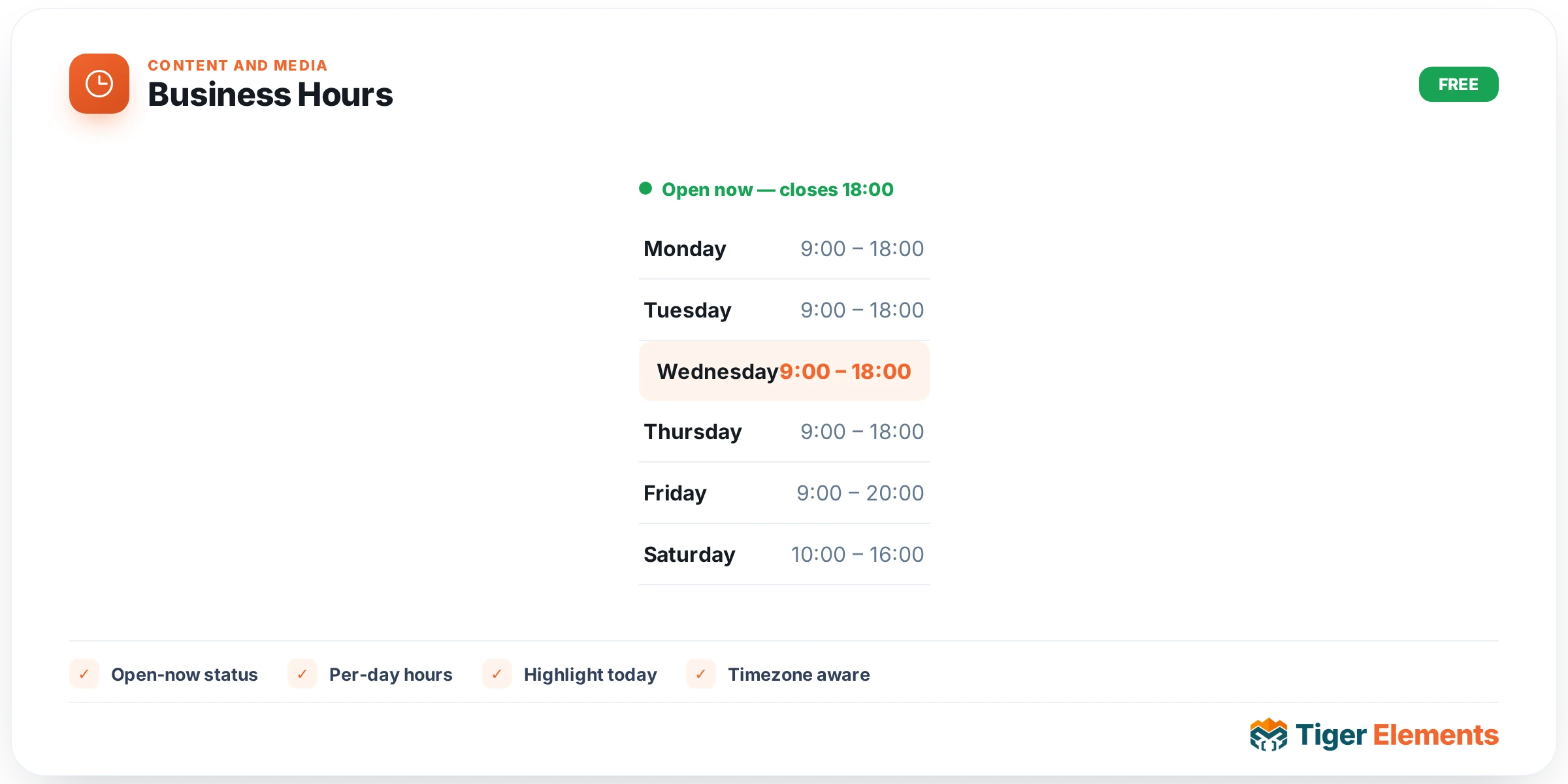
The Business Hours widget solves a problem that trips up almost every local-business website: static opening-hours text that goes stale the moment a schedule changes, and gives visitors no sense of whether the business is actually open right now. Instead of a plain table pasted into a text widget, Tiger Business Hours computes a live “Open now” / “Closed” state on the server (so it works correctly for SEO and for visitors with JavaScript disabled) and then keeps that state fresh in the browser with a small script that re-checks the clock every 30 seconds. It also correctly handles two situations that trip up cheaper hours widgets: overnight ranges, where closing time is numerically earlier than opening time (a bar open 22:00–02:00), and split shifts, where a business closes for a lunch break and reopens later the same day.
Setting it up
All of the scheduling controls live in the Business Hours content section. The Layout select offers three presentation styles: Directory list, Boxed card, and Dotted leader — these map to CSS class variants (tiger-hours–list/card/leader) rather than separate markup, so switching layouts is non-destructive. Below that are four toggles: Show status badge turns the live Open/Closed indicator on or off; Emphasize today adds a visual treatment to the current day’s row; “Today” tag on current row adds an explicit “Today” label next to today’s day name; and Show next-event line (only visible when the status badge is enabled) appends a line like “Closes 17:00” or “Opens Mon 9:00” beneath the badge. The Time format select switches the whole widget between 24-hour (17:00) and 12-hour (5:00 PM) display.
The actual schedule is built with the Hours repeater. Each row has a Day dropdown (Monday through Sunday), a Closed switcher, and, when Closed is off, From and To text fields that expect an HH:MM value such as 09:00. The repeater ships with sensible defaults: Monday–Friday 09:00–17:00, Saturday 10:00–14:00, and Sunday marked Closed. Because the repeater allows multiple rows per day, split shifts are built simply by adding a second row for the same day — for example a row for Tuesday 09:00–12:00 and a second Tuesday row for 13:00–18:00 will render as “09:00 – 12:00, 13:00 – 18:00” on that line. The widget’s own inline help text on the To field spells out the overnight rule directly: a “To” time earlier than “From” is treated as spanning into the next day, so a 22:00–02:00 row correctly reports the business as open right up until 2 AM rather than treating the range as invalid or zero-length.
Non-obvious behavior worth knowing
The status calculation is timezone-aware using the WordPress site timezone (via current_time() and wp_timezone_string()), not the visitor’s local browser time, which is the correct behavior for a physical storefront — a shop in Chicago should show “Open now” based on Chicago time regardless of where the site visitor is browsing from. The server-rendered HTML bakes in the state at page-generation time, but the enqueued script re-derives it from the same interval data every 30 seconds so a page left open past closing time updates itself without a reload. If a day has both a “Closed” row and a valid hours row (a data-entry edge case), the widget lets the actual time ranges win and only falls back to displaying “Closed” when no valid range exists for that day. The Style tab exposes two logical groups: a Status badge section (Open accent and Closed accent colors, typography, radius, and padding — all conditioned on the badge being enabled) and an Hours list section covering max width, day/time color and typography, divider color, optional zebra striping with a configurable stripe color, row padding, and a distinct “Today highlight” background color.
When to use it
This widget earns its place on any local-service page: a restaurant’s contact page where diners need to know at a glance whether the kitchen is currently taking orders; a medical or dental practice’s footer, where the “Open now” badge next to a phone number reduces wasted calls after hours; or a bar/club whose hours genuinely cross midnight, where lesser widgets would show a broken or negative-duration schedule. It also works well embedded in a Theme Builder header or footer template so the live status appears sitewide rather than being re-added to every page.
Practical tips
- Enter split-shift rows in chronological order within the same day (earlier range first) — the widget doesn’t sort ranges within a day, it displays them in the order they appear in the repeater, so an out-of-order entry like 13:00–17:00 followed by 09:00–12:00 will visually read backwards even though the open/closed calculation itself is still correct.
- If a business is closed on a given day, leave that day out of the repeater entirely or toggle Closed — don’t add a 00:00–00:00 row, since a To time equal to From produces a zero-duration interval that the widget silently skips rather than rendering as “Closed.”
- Use the Boxed card or Dotted leader layout when the widget sits in a narrow sidebar column, and reserve Directory list for full-width footer or contact-page placements where the extra horizontal breathing room reads better.
- Enable Zebra striping together with a subtle Today highlight color for schedules with seven visible rows (i.e., no days hidden) — the combination makes it much faster for visitors to scan straight to today’s line without reading every row.